To not award the tender, the internal user can click on the  button on the final ranking screen.
This operation to not award the tender will be allowed only after the opening of the Pre-Award phase of the tender.
When the ‘Do not award’ button is clicked, the system will display a text area where the user can insert the reason for not awarding the tender
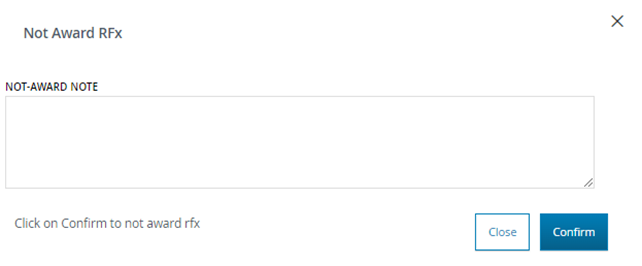
After inserting the reason for not awarding the tender, the user can either cancel or confirm the operation by clicking on the "Cancel" or "Confirm" buttons, respectively.
After the confirmation made by the buyer for not awarding, the ‘Not awarded’ status will be set for the individual lot (in the case of a multi-lot tender). In the case of a single-lot tender, the status will be set for the entire tender.
In the ‘Final Ranking’ tab, after the supplier ranking and by position, there will be an ‘Award Notes’ section where the ‘Non-Award Notes’ will be included along with the reason entered by the buyer to explain the non-award of the tender. This information will also be inserted in the tender details on the web page and in the PDF reportWas this article helpful?
That’s Great!
Thank you for your feedback
Sorry! We couldn't be helpful
Thank you for your feedback
Feedback sent
We appreciate your effort and will try to fix the article