Depending on the configuration selected during the loading of the new tender (RFx), the system will either display or hide the additional 'Technical Criteria' tab. This section will be enabled only if 'Economically More Advantageous Offer' has been selected as the 'Type of Award,' allowing the internal to define the technical criteria of the tender.
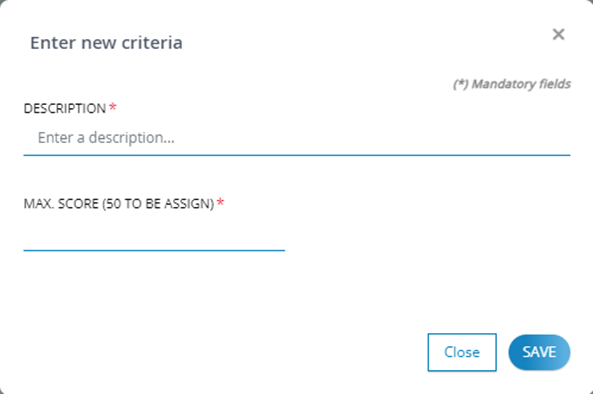
Within this tab, clicking the  button will open a pop-up for entering data related to technical criteria.
The pop-up displays the following fields:
- Description*: This field allows the internal to describe the criteria.
Max. Score (<value> to be assigned)*: In this field, the internal user can enter the technical score to be attributed to the criterion, along with an indication of the remaining score to be allocated.
As criteria are added, the table will populate with records for each loaded criteria, including their information, and will provide a set of actions that can be performed on each added criterion:
In the 'Actions' column, the internal user will find the following options available for each criterion:
. Edit criterion information using the  icon
icon
. Delete the record using the  icon
icon
in the 'Sorting' column, the internal user can:
. Rearrange the order of the criterion using interactive  and
and  icons
icons

Was this article helpful?
That’s Great!
Thank you for your feedback
Sorry! We couldn't be helpful
Thank you for your feedback
Feedback sent
We appreciate your effort and will try to fix the article