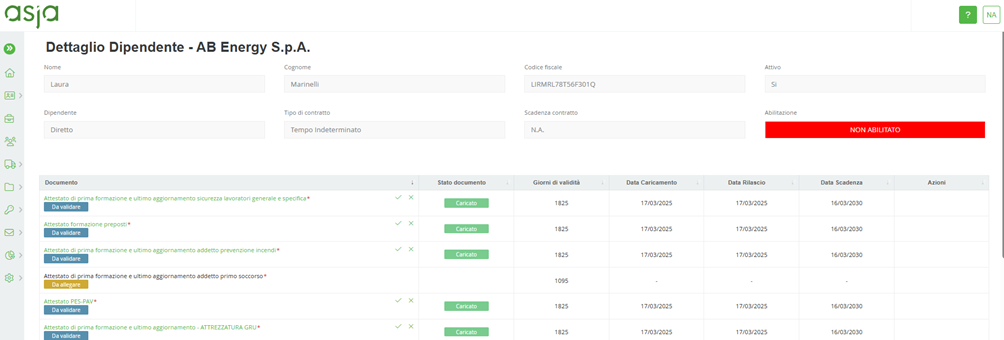
From the individual employee's document status, the system should allow viewing of the employee's entire document list, including nonmandatory documents that are not attached.
Document validity is verified by monitoring both the goodness of the document and the expiration of the document itself; in this regard, the appropriately profiled internal user will have the option of determining whether the document is correct and then validating it whit the icon: or rejecting it with the icon:
If a decision is made to reject a document, the user will be required to be enter a reason for rejection by choosing it from those proposed in the drop-down menu or by adding it manually or by supplementing a proposed reason with a manual note.
For each invalid document, the supplier will receive an e-mail notification informing them of the reason for rejection and that they must update the rejected document by logging into the portal with their user account.
The expiration date of the document should be displayed in red color if the document is “expired.”
Was this article helpful?
That’s Great!
Thank you for your feedback
Sorry! We couldn't be helpful
Thank you for your feedback
Feedback sent
We appreciate your effort and will try to fix the article