In order to have the ability to access the supplier register, either for consultation only or for actual management, it is necessary to proceed as listed below:
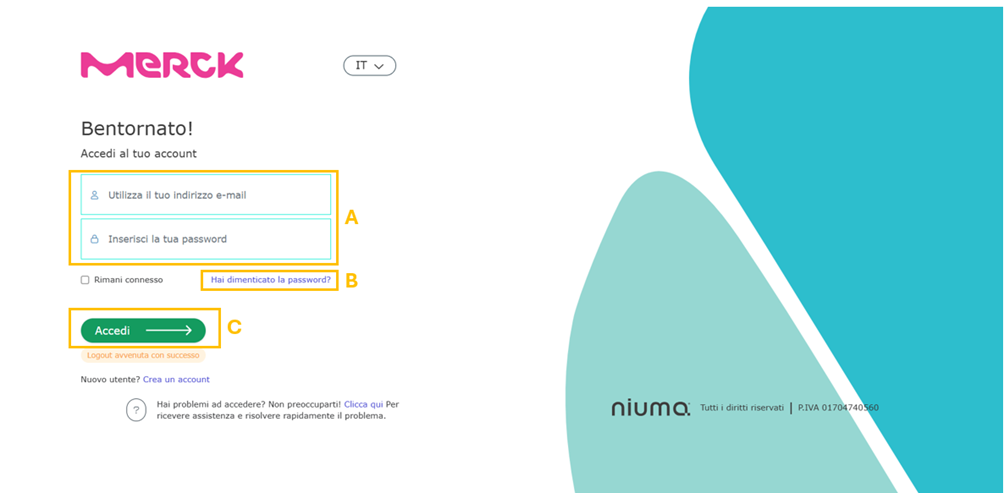
1. Access the page
2. Enter, in the appropriate fields, your Username and Password (A).
Note: You can recover your password by clicking on “Forgot your password?” (B): you will be prompted for your Username and the system will send an e-mail to your address with a new password to log in.
3. Click on Sign In (C).
4. The page with functionality related to your profile will open.
Was this article helpful?
That’s Great!
Thank you for your feedback
Sorry! We couldn't be helpful
Thank you for your feedback
Feedback sent
We appreciate your effort and will try to fix the article