To access the Platform Registration Page, click on the provided direct link in the email you
received, or use the token provided.
Below is an example of a Registration Invitation email sent by the e-Procurement Portal:
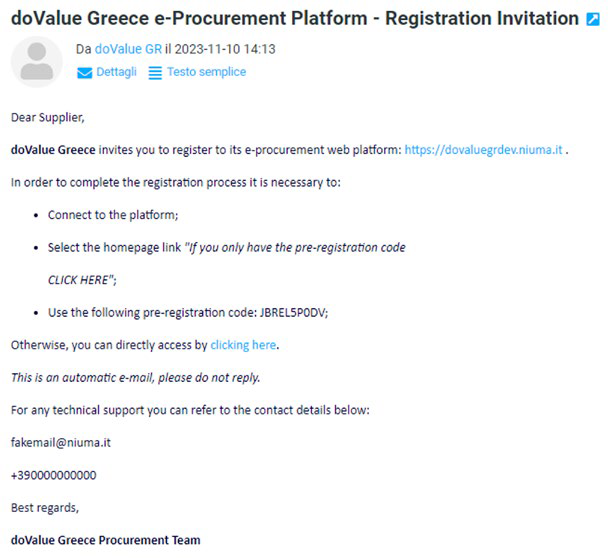
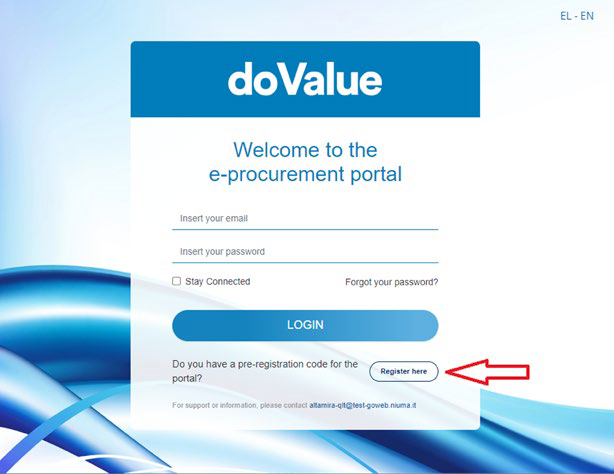
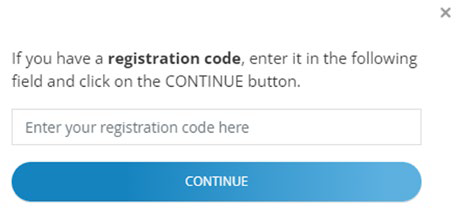
To utilize the token, navigate to the Login Page through the highlighted link in the email. After click on the “Register here” button, nter the token in the pop-up window, as illustrated below:
Was this article helpful?
That’s Great!
Thank you for your feedback
Sorry! We couldn't be helpful
Thank you for your feedback
Feedback sent
We appreciate your effort and will try to fix the article