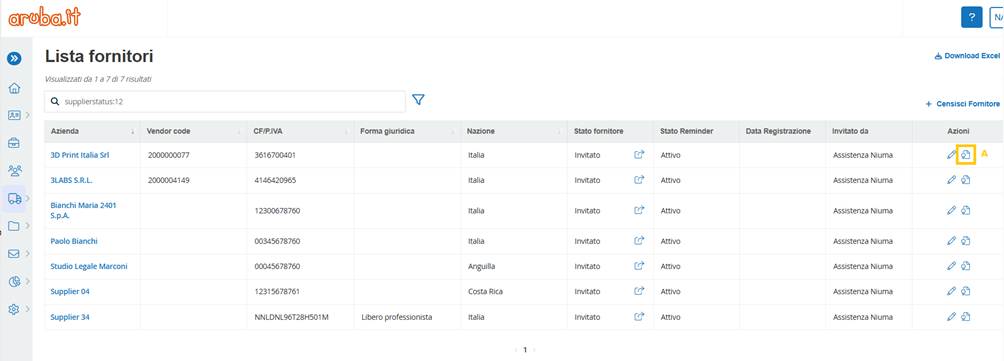
Within the “Companies” section of the portal, the internal user has the option of assigning to each supplier with “Invited” or “In Registration” status, the qualification from the procedure.
This action is done through the Actions column by selecting the button (A)
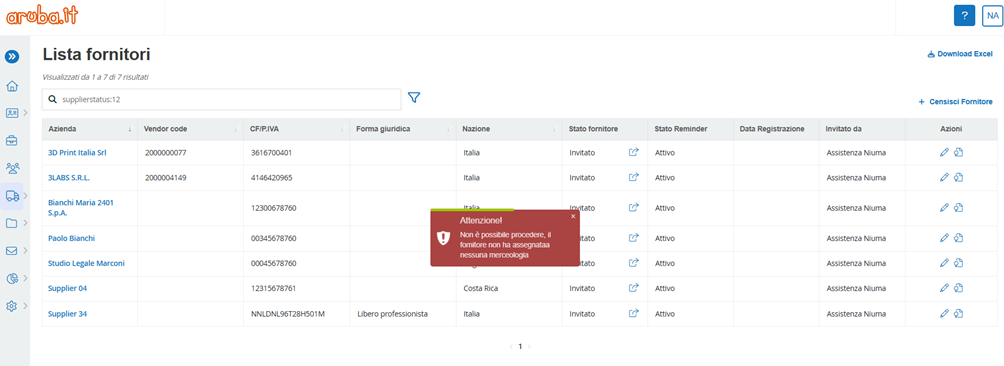
After selecting the button, if no commodity category appears to be associated with the supplier, the system displays a red error banner on the page stating “Cannot proceed, supplier has no commodity assigned”
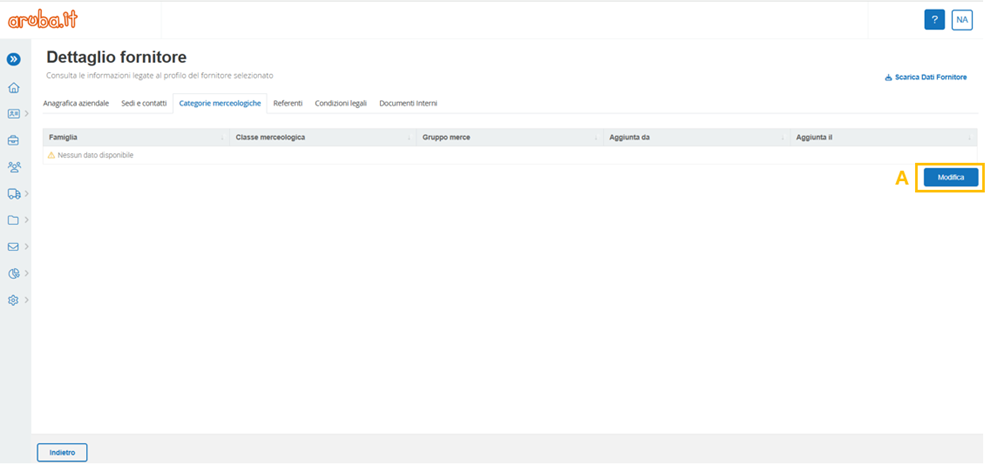
Accordingly, the internal user should proceed to enter the commodity category(s) by clicking on the supplier's business name and selecting the “Commodity Categories” tab.
When the page opens, press the “Edit” button (A) and finally, save the action.
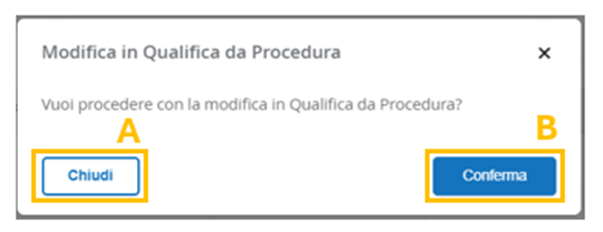
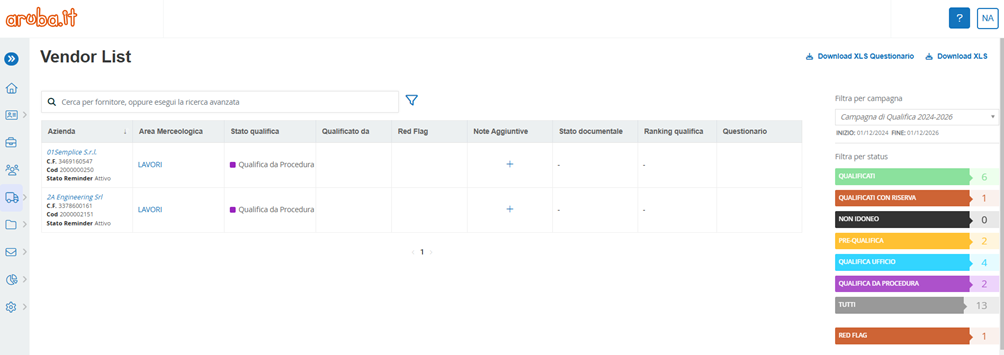
Conversely, if the supplier submits one or more product categories, a pop-up is displayed on the page to confirm the action. On clicking “Close” (A), the pop-up closes on the page without assigning any qualification. On clicking on “Confirm” (B) instead, the system automatically directs the supplier to the “Vendor List” with “Qualification from procedure” status.
It should be noted that, procedure-qualified suppliers will never complete the registration flow, so the only visible information will be the information entered by the internal user when filling out the registration invitation form.
Was this article helpful?
That’s Great!
Thank you for your feedback
Sorry! We couldn't be helpful
Thank you for your feedback
Feedback sent
We appreciate your effort and will try to fix the article