Suppliers
The "Suppliers" section (A) contains features related to supplier management and allows the viewing of various types of data and information about them (see Figure 9).
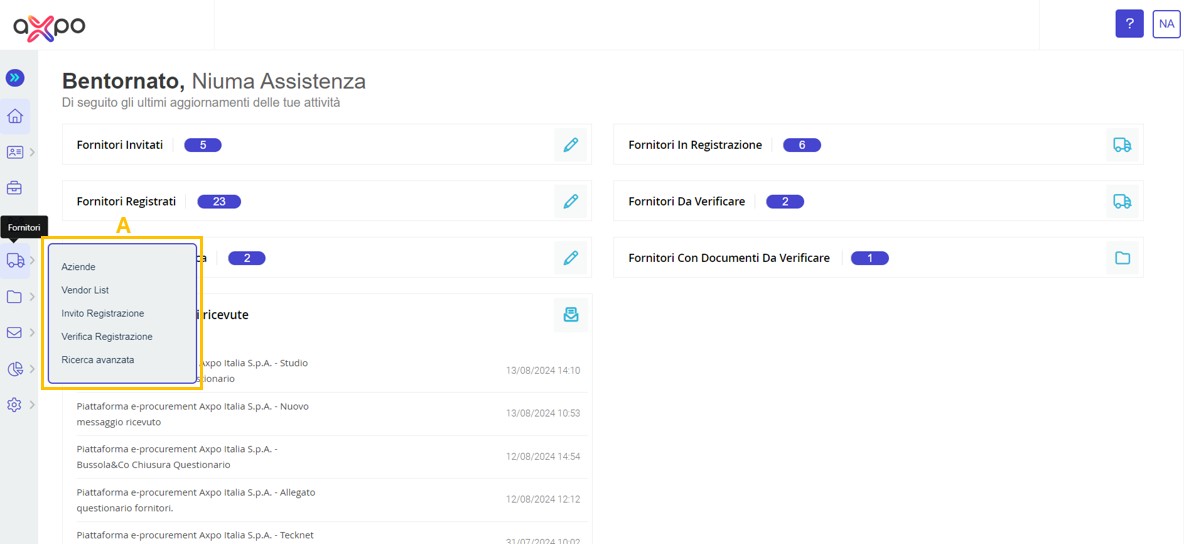
Figure 9. Axpo Portal: Supplier Register Section
In detail:
• Companies (see Figure 10): this section allows viewing of the complete list of suppliers registered on the platform. Additionally, in the "Actions" column, there is an icon that grants access to modify the supplier's company information.
Moreover, the internal user has the option to export the list of suppliers by clicking the "Download Excel" button (A) located in the upper right corner of the page; with the possibility to select specific suppliers using the search filter tool (B). By clicking on the specific company name (C), the full profile of the supplier can be viewed.
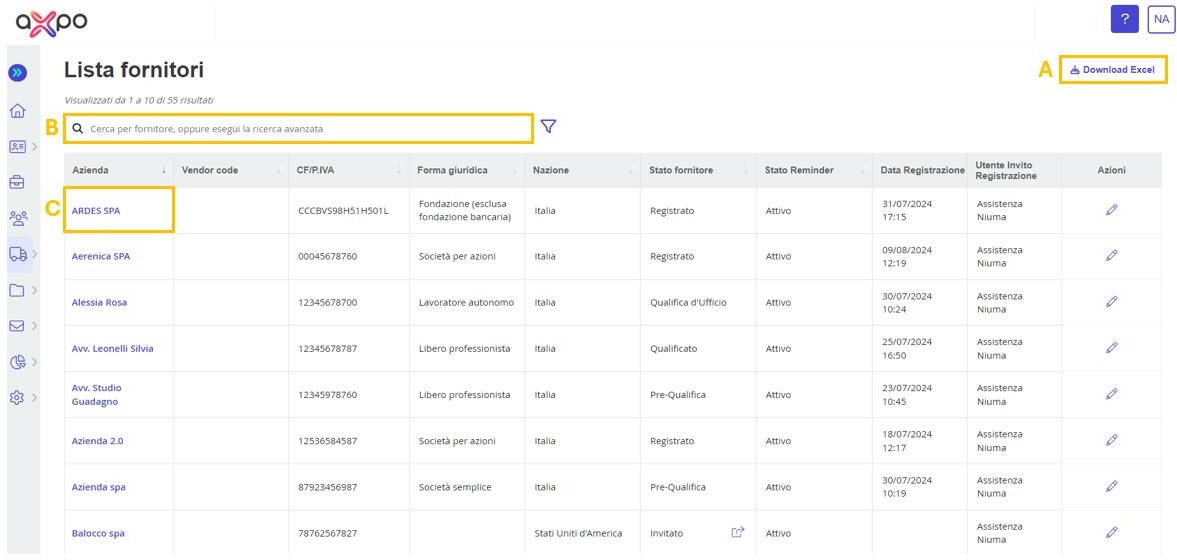
Figure 10. Axpo Portal: Section "Companies"
Within the "Supplier Details" page (see Figure 11), the internal user can view the information entered by the supplier during the registration process: company profile, locations and contacts, product categories, banking details, and representatives. Additionally, in the same area, it is possible not only to review the legal terms accepted by the supplier but also to upload internal documents if needed.
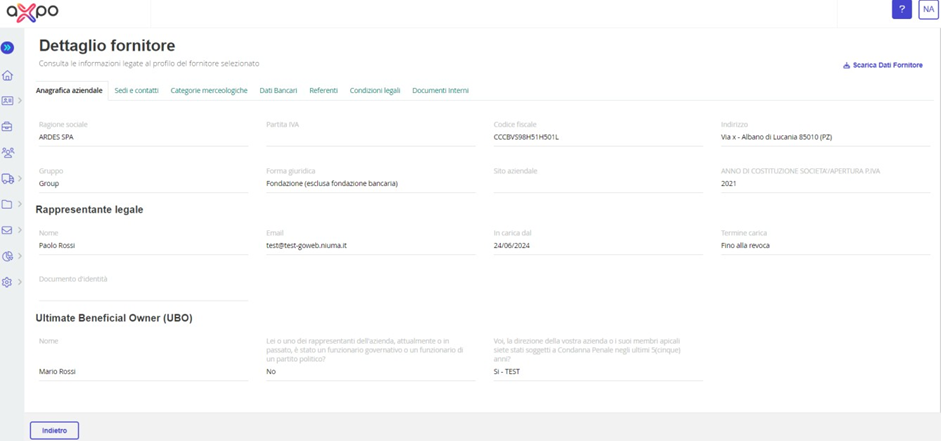
Figure 11. Axpo Portal: Supplier Details
• Vendor List: This section contains all the suppliers who have completed the qualification questionnaire and submitted the required documentation. In the "Qualification Ranking" column, by clicking on the respective ranking, you can access the scorecard and view the supplier’s scores. By clicking on the eye icon in the "Questionnaire" column, you can view the completed questionnaires; additionally, with the "Download XLS Questionnaire" button (A), the user can directly download the questionnaire in Excel format.
The data in the Vendor List section can be downloaded via the "Download XLS" button (B). If you want to view the details of the supplier's relevant product category, you can click on the entries in the "Product Area" column. The user can also add or view any notes entered during the qualification phase in the "Additional Notes" column.
On the right side of the page, you can filter the supplier list in the table by campaign or status (C).
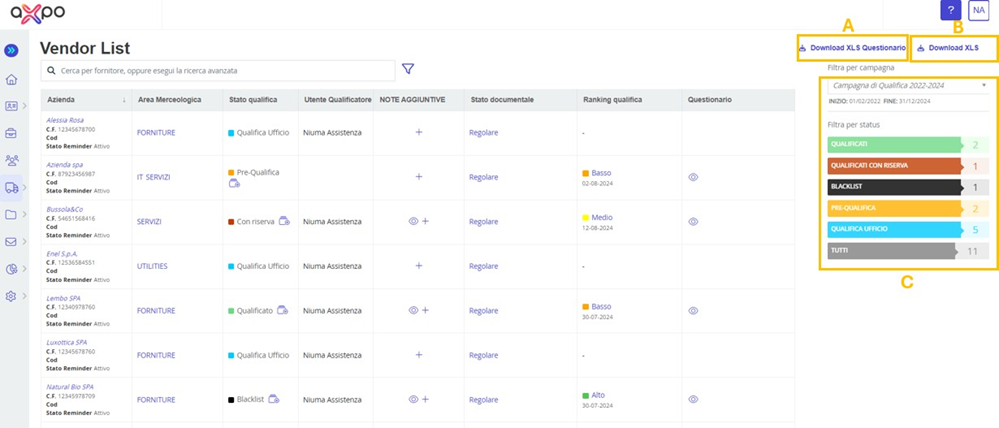
Figure 12. Axpo Portal: "Vendor List" section
• Registration Invitation: This section allows you to invite a specific supplier to register on the portal by clicking the "Send" button (B). Once the required data, especially the mandatory fields marked with (*), are entered, the system will send an e-mail to the supplier with the relevant notification. The e-mail will contain a "token" code, an alphanumeric code with limited validity, which will enable the supplier to access the registration procedure on the e-procurement portal.
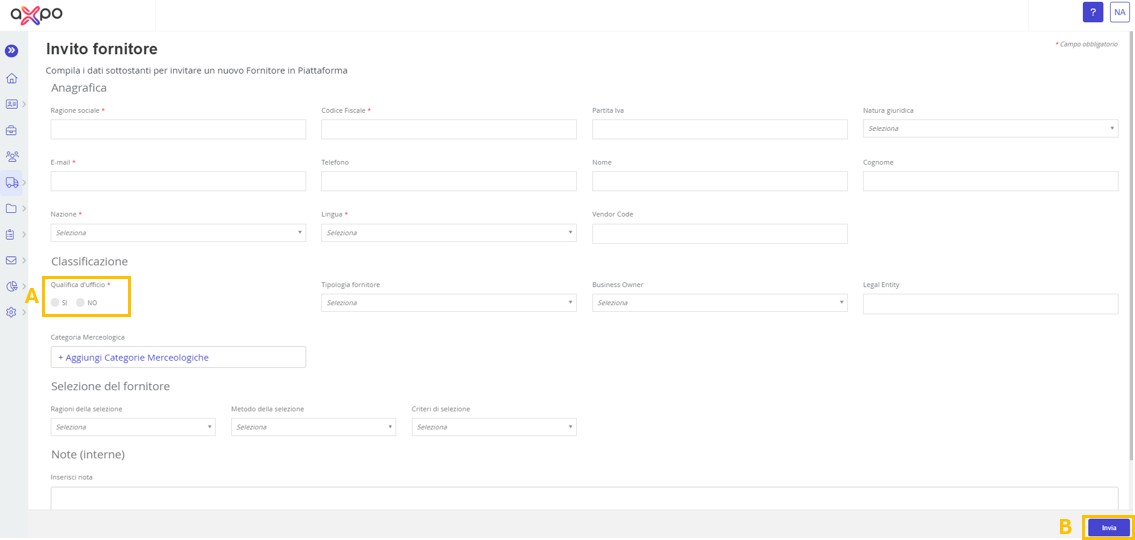
Figure 13. Axpo Portal: Registration Invitation Section
• Advanced Search: In this section, specific searches can be performed on the supplier registry by using dedicated search filters (B) (see Figure 14):
- Company Name
- Reminder Status
- Legal Form
- Country
- Status
- Product Category
- Class
- Product Group
- Documents
- Qualification Ranking
Additionally, with the "Download Excel" button (A), the user can export the search results in Excel format.
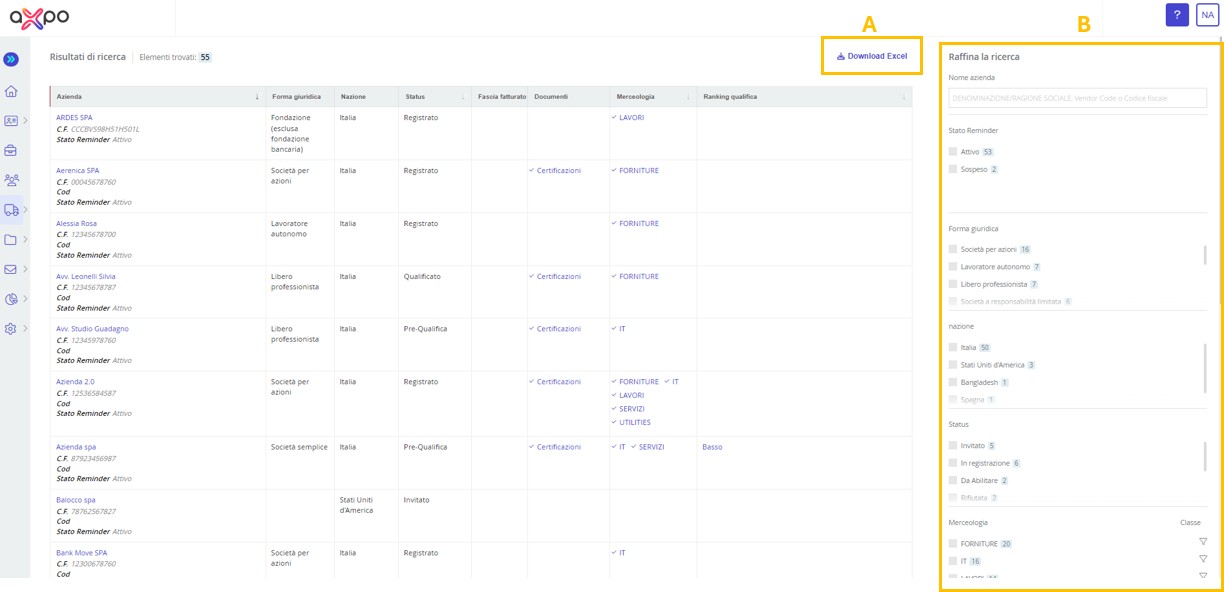
Figure 14. Axpo Portal: Advanced Search Section
Was this article helpful?
That’s Great!
Thank you for your feedback
Sorry! We couldn't be helpful
Thank you for your feedback
Feedback sent
We appreciate your effort and will try to fix the article