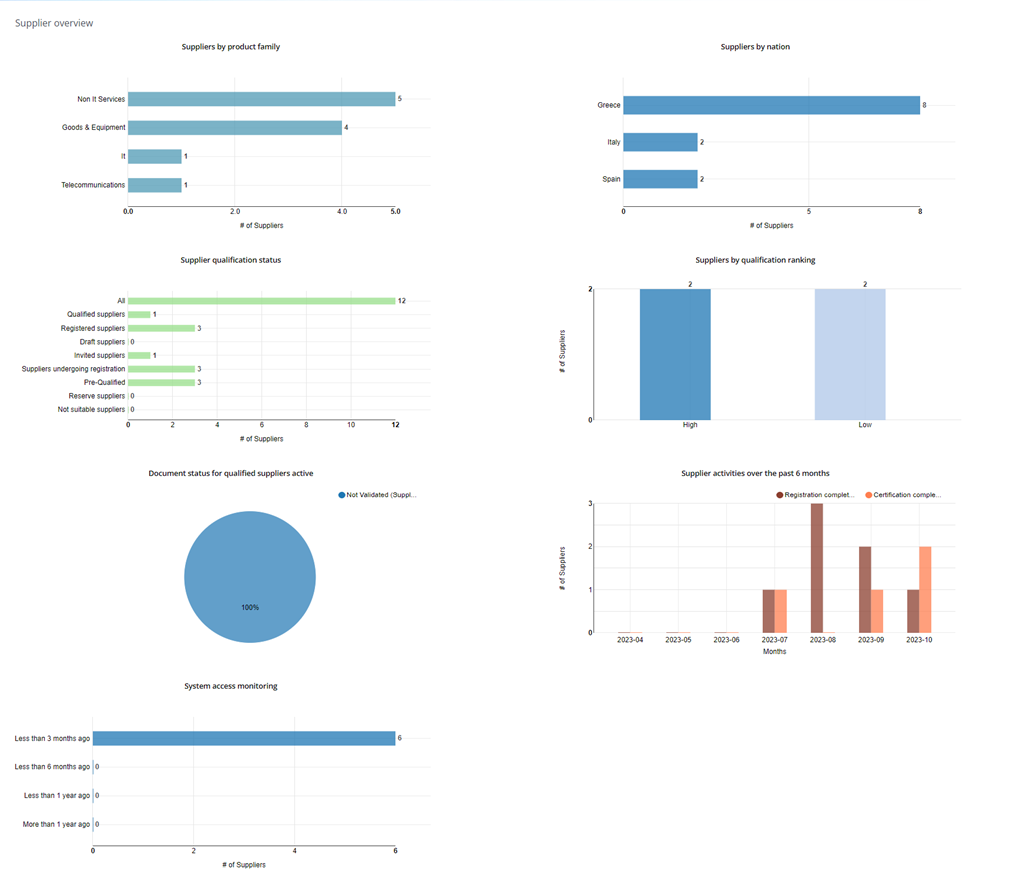
In the Report --> Supplier Overview section, the internal user can access various charts and reports that help monitor the management of the supplier register and its utilization by suppliers. The data that can be consulted includes:
- Suppliers by product family
- Suppliers by nation
- Active supplier qualification status
- Document status for active qualified suppliers
- Supplier activities over the past 6 months
- Suppliers by qualification ranking
- System access monitoring
These reports provide valuable insights into the status of the supplier register, the qualifications of suppliers, and their activities on the platform, helping the internal user make informed decisions and monitor performance.
Was this article helpful?
That’s Great!
Thank you for your feedback
Sorry! We couldn't be helpful
Thank you for your feedback
Feedback sent
We appreciate your effort and will try to fix the article