Through the Communications Area, it is possible to view all system communications sent to both internal users and suppliers.
In detail:
- System Communications: contains the list of communications sent by the platform to both internal users and suppliers. Communication visibility is based on the user profile configuration. It is possible to view the details of the content, relative to the message, using the Actions column (Figure 1), with a click on the wink icon.
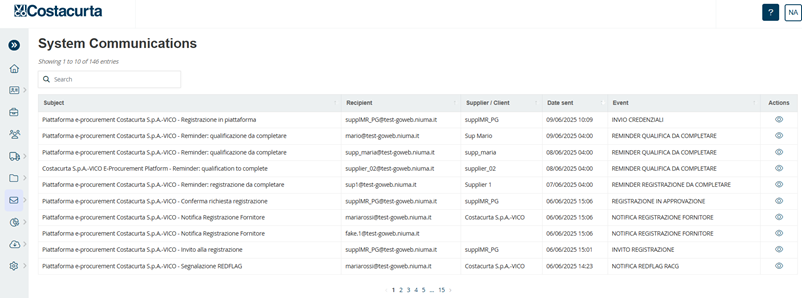
Figure 1. Communications
- Send Message: this area allows the internal user to send customised communications by clicking on the ‘Create Message’ button to one or more suppliers in bulk by ticking the box (Figure 2).
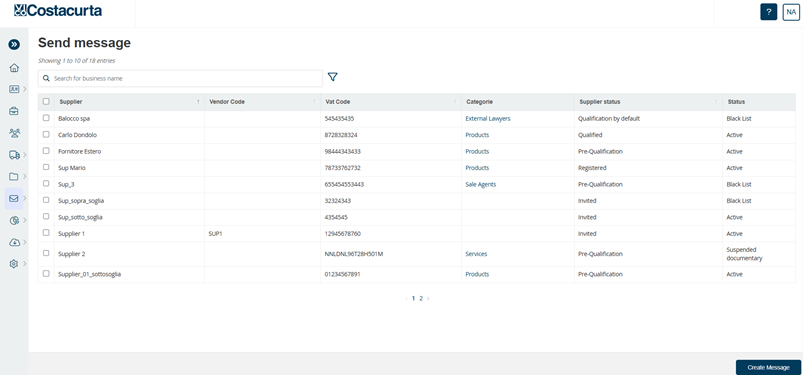
Figure 2. Send Message
- Messages sent/received: this section collects all the messages sent/received by the internal user and by the suppliers (Figure 3).
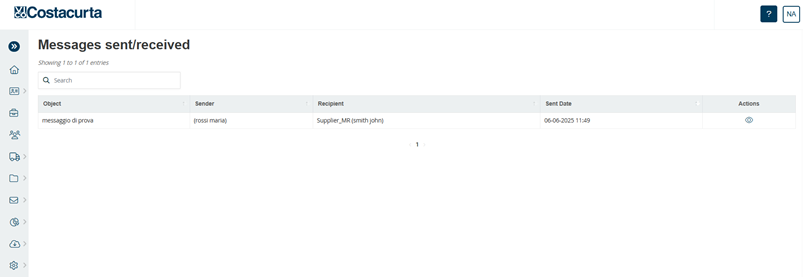
Figure 3. Messages sent/received
Was this article helpful?
That’s Great!
Thank you for your feedback
Sorry! We couldn't be helpful
Thank you for your feedback
Feedback sent
We appreciate your effort and will try to fix the article