Documents
Through the Documents area, you can view all documents uploaded by suppliers (see Figure 17). In detail:
• Qualification: This section contains all the documents uploaded to the e-procurement portal by the supplier.The list associates each document on the portal with the following information: the supplier who uploaded it, the supplier's qualification status, the date the document was uploaded to the system, the date the document was issued to the supplier, the document's expiration date, its status, the user who validated the document, and the reminder status.
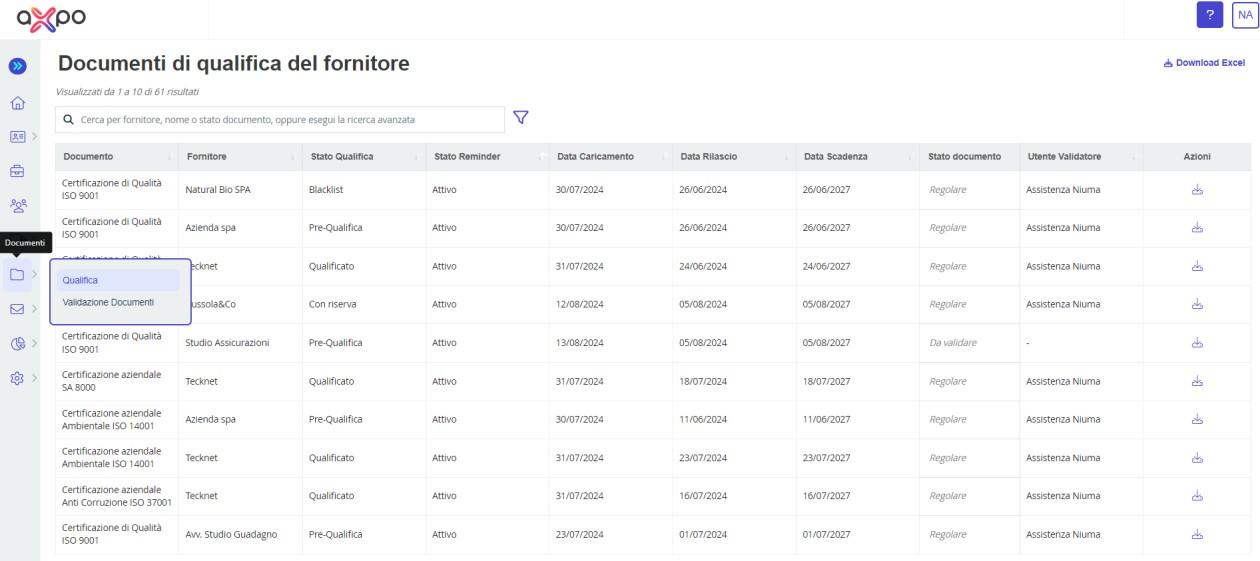
Figure 15. Axpo Portal: "Documents" Section
Regarding the reminder status (A) (see Figure 18), there are two types of statuses:
- "Suspended", if the document is no longer required by the internal user or is no longer available from the supplier.
- "Active", if the document is available or, alternatively, if it is requested by the internal user.
Additionally, through the Actions column, you can view and download the document (B) and, if needed, access the history (C).
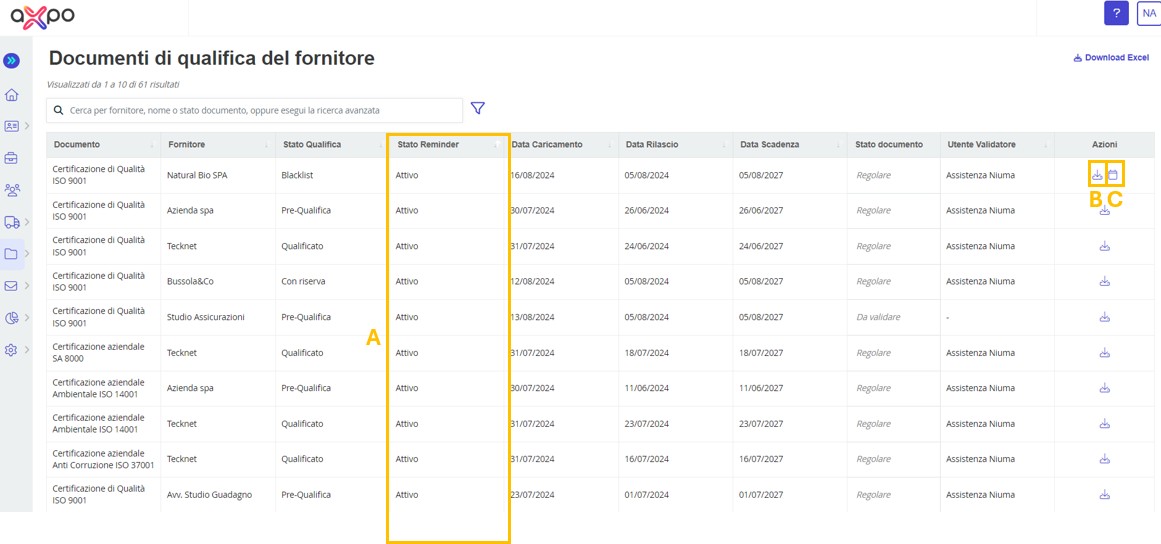
Figure 16. Axpo Portal: Qualifications Documents Suppliers
• Document Validation: In this section, you can proceed with the validation of documents uploaded by suppliers. Through the "View" column (A) (see Figure 19), you can review the details of the documents pending review and proceed with their validation (using the icon  ) or rejection (using the icon
  ).
).
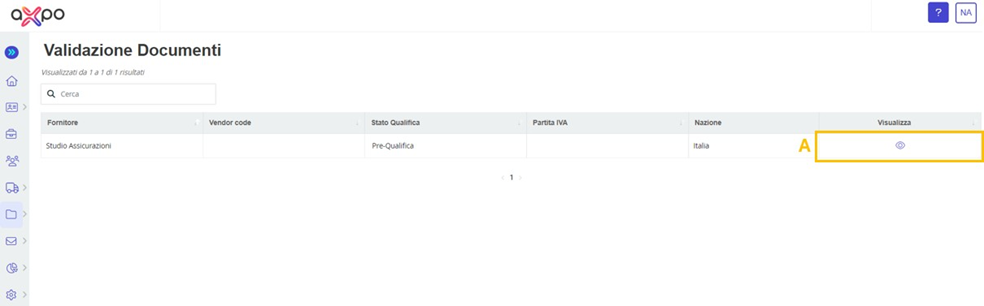
Figure 17. Axpo Portal: Validation Documents Section
Specifically, after completing the questionnaire evaluation phase, the subsequent document evaluation phase requires the internal user to personally review the documents submitted by the supplier to ensure their actual consistency with:
- The type of document requested.
- The issuance and/or expiration dates declared at the time of submission.
- The accuracy of the information where necessary.
- Presence of identification documents where required (e.g., self-certifications).
Documents to be attached to the system will be classified by type, mandatory nature, and legal status. The latter is necessary to allow individuals to submit a series of documents different from those required for legal entities.
Additionally, document classification will also consider the duration of each document, so that the system can automatically alert qualified suppliers about expired documentation that needs to be updated, based on the issuance date declared by the supplier for each document.
In the Actions column, there is also an icon that allows the internal user to view the history of previously uploaded documents (A) (see Figure 18).
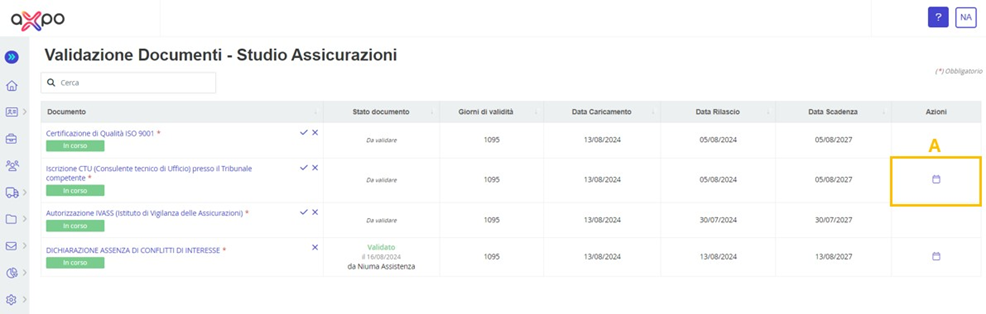
Figure 18. DoValue Portal: Validation Documents Section
Was this article helpful?
That’s Great!
Thank you for your feedback
Sorry! We couldn't be helpful
Thank you for your feedback
Feedback sent
We appreciate your effort and will try to fix the article