In this section, internal users can access a comprehensive list of suppliers presented in a table format. The table includes the following columns: Company Name, Vendor Code, Tax Code, Legal Form, Country of Supplier, Qualification Status, Registration Date, and an Action column featuring an icon for accessing company data editing.
Within this area, by clicking on a specific entry, users can view economic, company, and banking information, as well as product categories and contact details.
Additionally, users have the option to invite a supplier to register on the platform by clicking the icon  . This icon will only be displayed next to suppliers in Draft and In Registration status, as illustrated below:
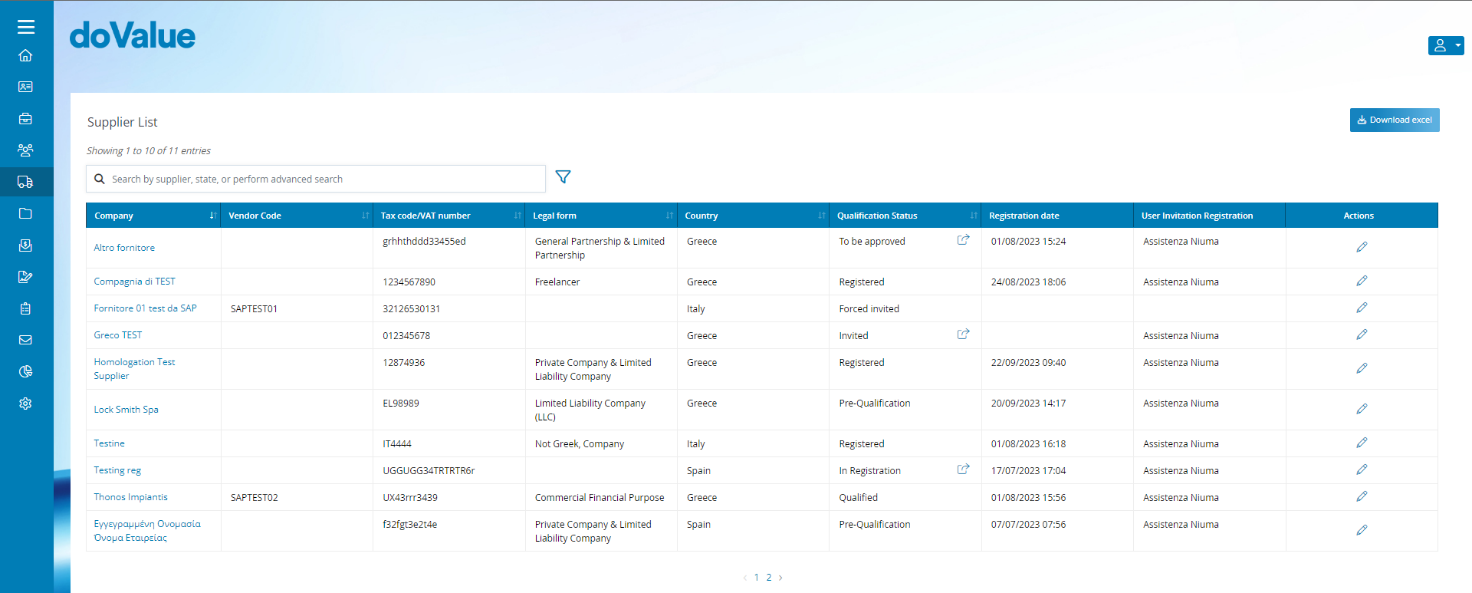
By clicking the  icon, a pop-up screen will appear, providing a summary of the main contact person's information for the supplier:
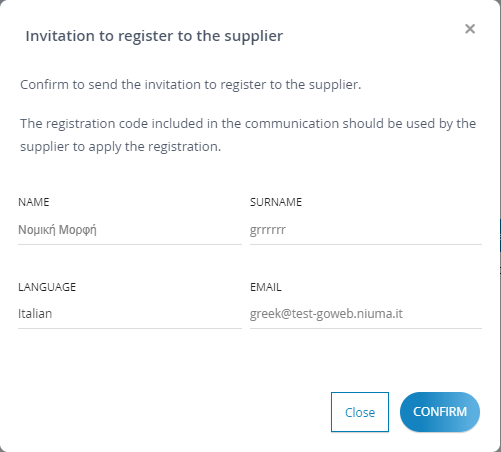
The user can click the  button to send the invitation.
Was this article helpful?
That’s Great!
Thank you for your feedback
Sorry! We couldn't be helpful
Thank you for your feedback
Feedback sent
We appreciate your effort and will try to fix the article