Go to the “Document” tab to upload the Qualification documents. Click the button to upload
the document, utilize the button to retrieve the uploaded document, and use the
 button
to view the upload history.
Note: Documents marked with a red icon are templates; click the icon to download them, as
illustrated below.

The page displaying the Qualification Document is presented below:
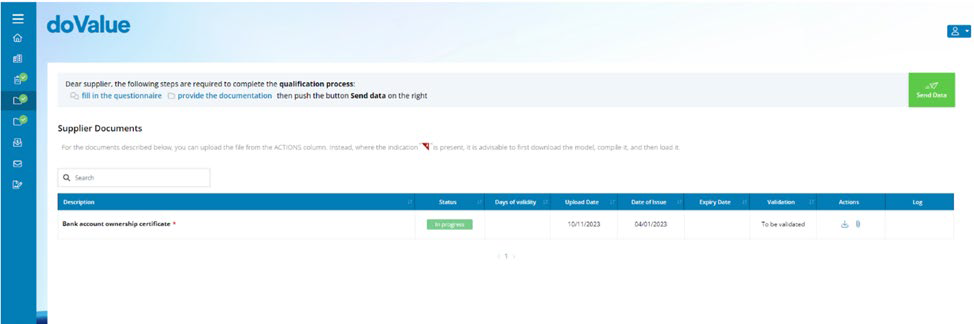
The system will display alerts with a badge to notify of any updates
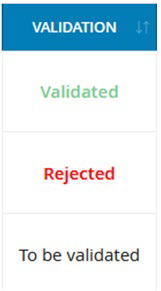
After uploading, the status of the documents can be one of the following
Was this article helpful?
That’s Great!
Thank you for your feedback
Sorry! We couldn't be helpful
Thank you for your feedback
Feedback sent
We appreciate your effort and will try to fix the article