1. In case of a registration request received via email (Figure 1), retrieve the access code from the email text:
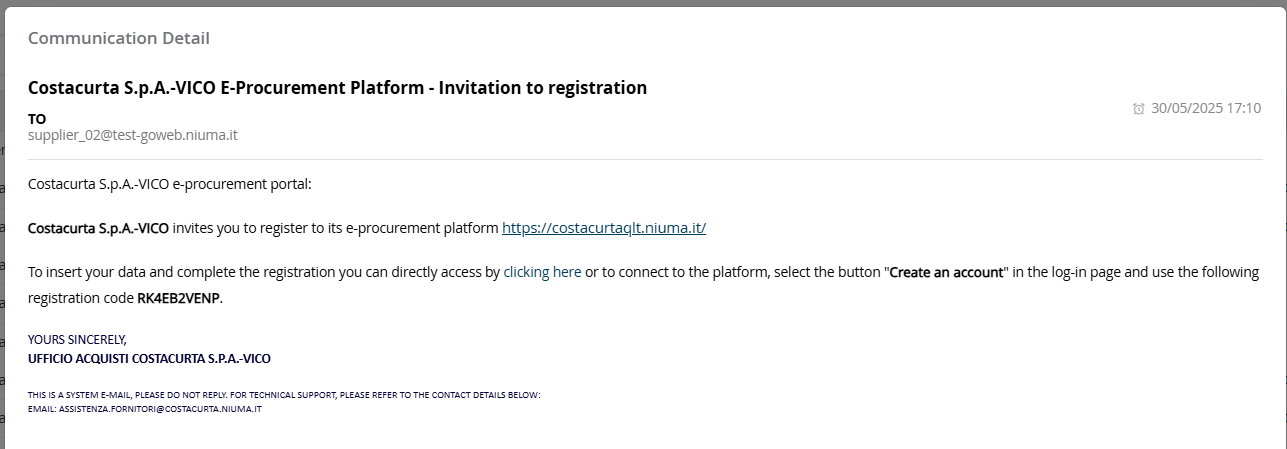
Figure 1: Registration Invitation Communication
2. Select the "Create Account" link from the Login page (Figure 2 - A):
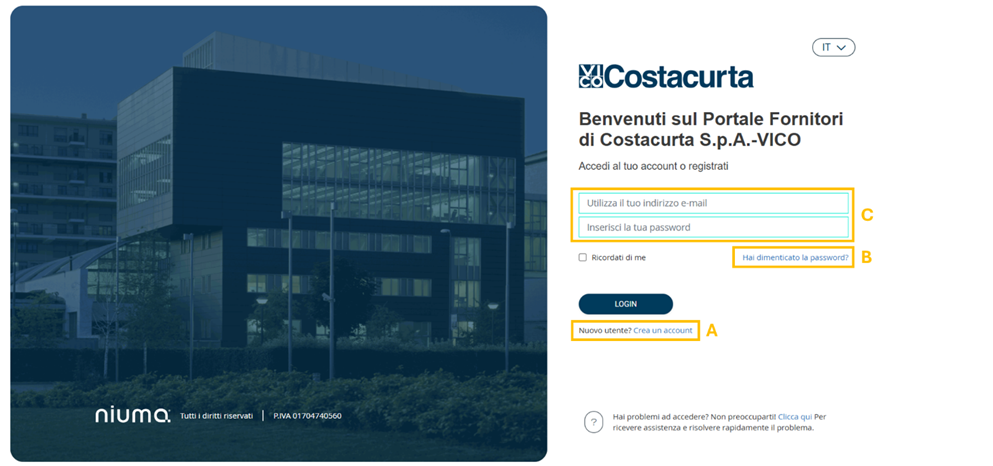
Figure 2: Login Page - Create an Account
3. On the next page, enter the unique code in the designated field (Figure 3).
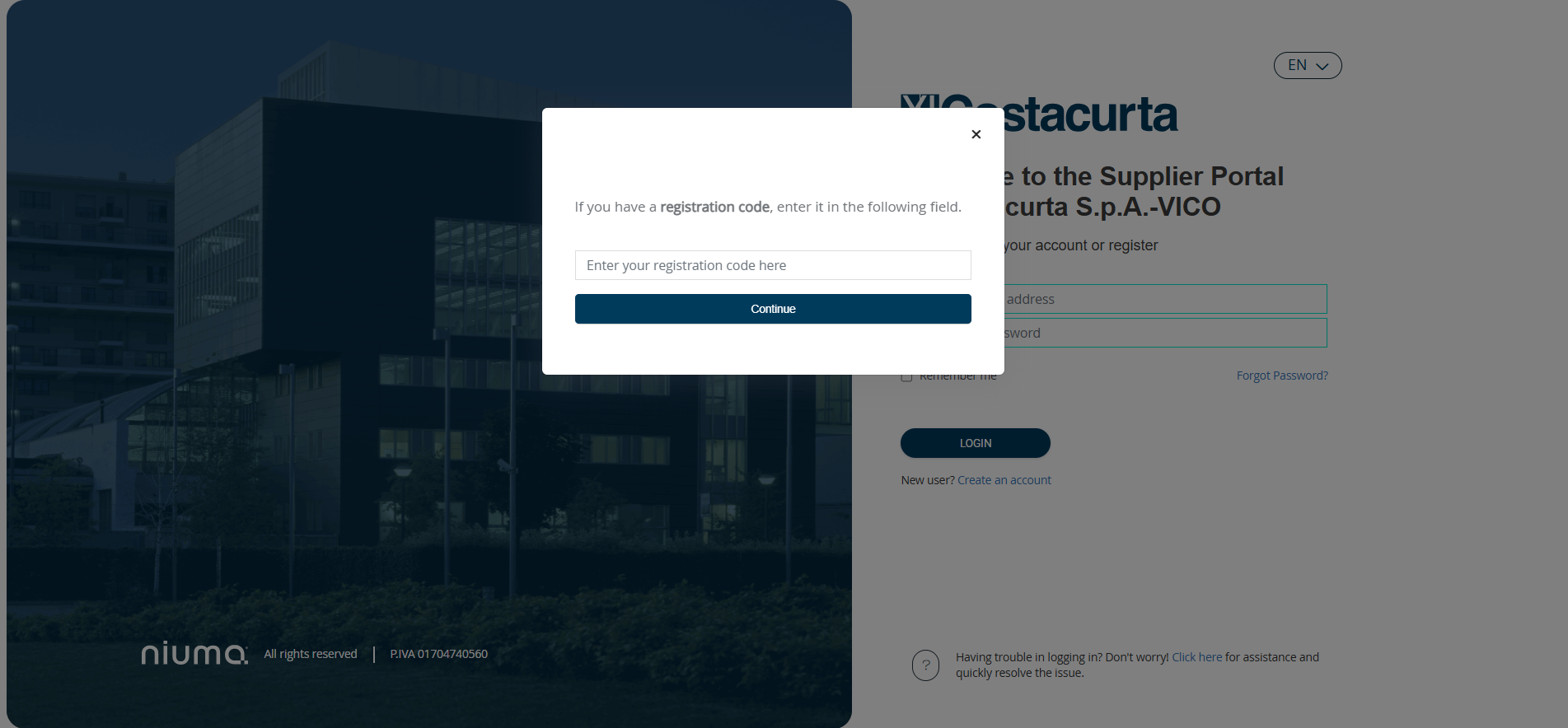 Figure 3: Registration Page - Enter Registration Code
Please note that if there is an error or the code has expired, an error pop-up will appear: "Attention: Registration code expired or invalid. Unable to proceed!" (Figure 4).
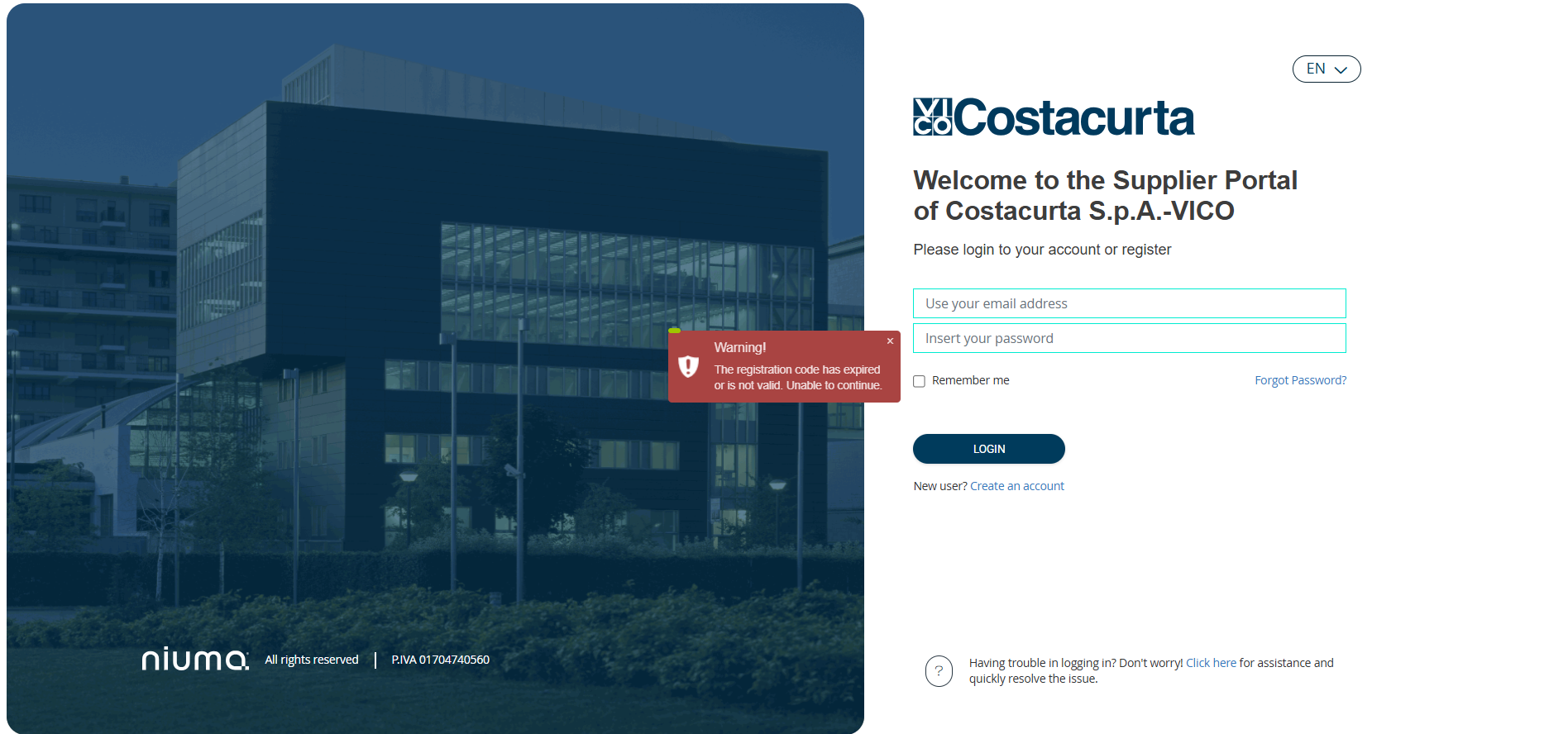 Figure 4: Login Page - Access Denied
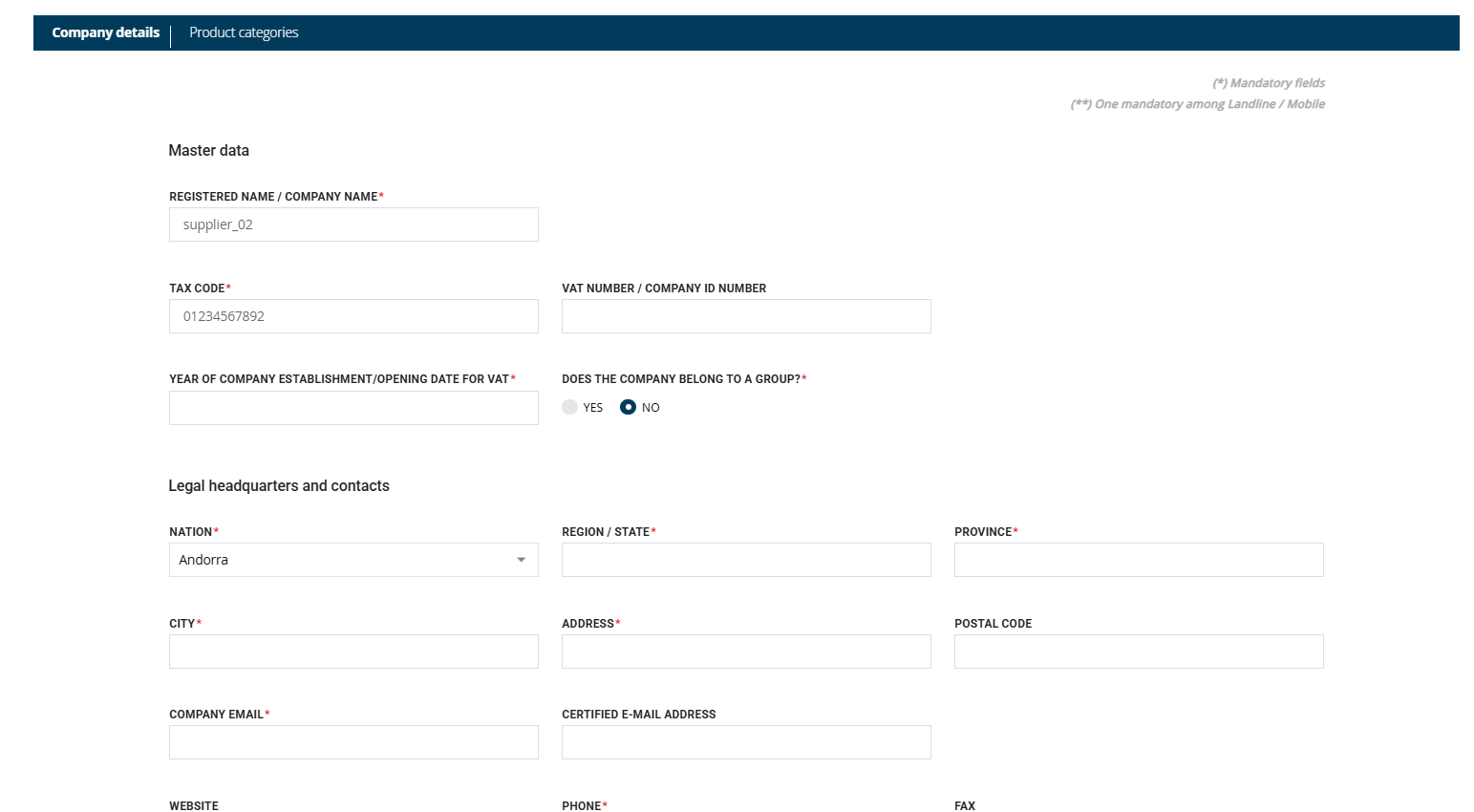
4. the user will be directed to the Company Profile page, where they can proceed to fill in the required data (Figure 5):
Was this article helpful?
That’s Great!
Thank you for your feedback
Sorry! We couldn't be helpful
Thank you for your feedback
Feedback sent
We appreciate your effort and will try to fix the article