If you have forgotten your password or username, you can follow these steps:
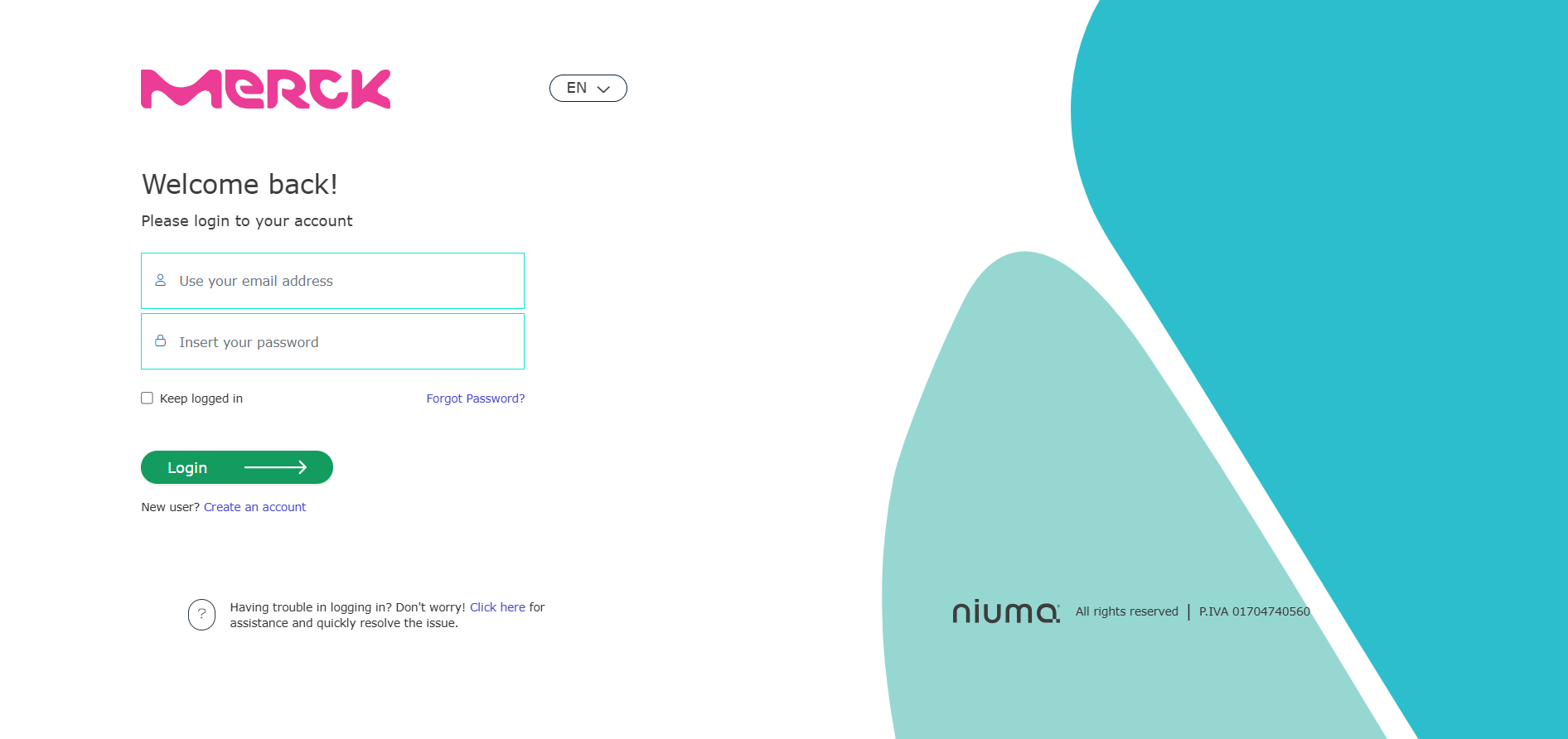
Figure 1: Portal Access - Log In Procedure
2. Select the "Forgot your password?" link (Figure 1).
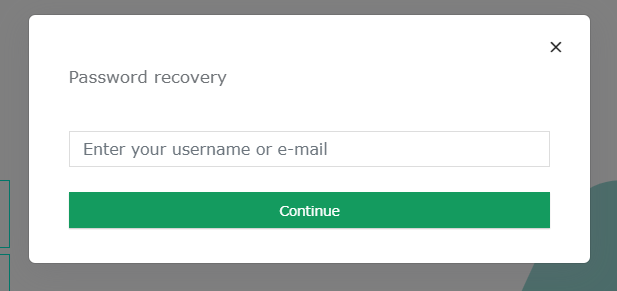
3. The "Recover Password" page will appear, where you can enter your username or email to recover your password (Figure 2).
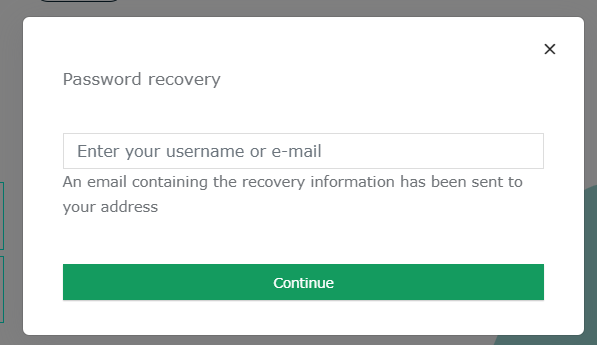
4. The password reset email has been sent to proceed with the recovery (Figure 3).
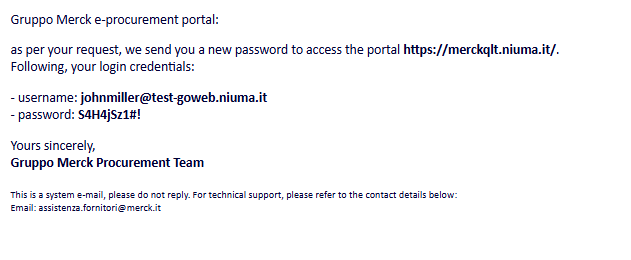
5. In the email received on your account, the new access credentials will be provided (Figure 4).
Was this article helpful?
That’s Great!
Thank you for your feedback
Sorry! We couldn't be helpful
Thank you for your feedback
Feedback sent
We appreciate your effort and will try to fix the article